Text Entry
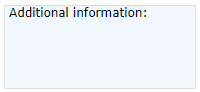
Fig. 1 - TextBox control
Allows the script user to enter text.
Properties that are common to this and many other controls are described in Common Properties.
 Text Entry properties
| Property | Description | ||||||||||||||||
|---|---|---|---|---|---|---|---|---|---|---|---|---|---|---|---|---|---|
| AcceptsReturn |
Whether or not the field accepts the keyboard Enter key, to start a new line. This setting has other effects, as follows:
If unchecked:
|
||||||||||||||||
| Background | See Common Properties | ||||||||||||||||
| BorderBrush | See Common Properties | ||||||||||||||||
| BorderThickness | See Common Properties | ||||||||||||||||
| FontFamily | See Common Properties | ||||||||||||||||
| FontSize | See Common Properties. Spacing between items is scaled automatically | ||||||||||||||||
| FontStyle | See Common Properties | ||||||||||||||||
| FontWeight | See Common Properties | ||||||||||||||||
| Foreground | See Common Properties | ||||||||||||||||
| Height | See Common Properties. A vertical scrollbar is created and controlled automatically | ||||||||||||||||
| HorizontalScrollBarVisibility |
Ignored in this control. See the AcceptsReturn property above |
||||||||||||||||
| IsEnabled | See Common Properties | ||||||||||||||||
| Language | See Common Properties | ||||||||||||||||
| Margin | See Common Properties | ||||||||||||||||
| Name | See Common Properties | ||||||||||||||||
| TabIndex | See Common Properties | ||||||||||||||||
| Text |
The text that the field will contain when the page is loaded. The user must overwrite this when entering text. |
||||||||||||||||
| TextAlignment |
Ignored in this control |
||||||||||||||||
| TextWrapping |
Whether text wraps when it reaches the edge of the containing box. Only in effect if the AcceptsReturn property (above) is checked. Options are:
|
||||||||||||||||
| VerticalScrollBarVisibility |
Ignored in this control. See the AcceptsReturn property above |
||||||||||||||||
| Visibility | See Common Properties | ||||||||||||||||
| Width | See Common Properties | ||||||||||||||||
See also the ValidationTextBox control.